
MB to GB Conversion: Formula, Chart and Examples
MB to GB conversion means changing megabytes into gigabytes. To convert MB to GB using the standard decimal system, divide the megabyte value by 1,000. For example, 2,000 MB equals 2 GB. However, computers may also use binary units, where 1,024 MiB equals 1 GiB. Understanding both systems helps you read file sizes and storage capacity correctly.
In this guide, you will learn the MB to GB formula, see common conversion examples, and understand why 1,000 MB and 1,024 MB are not technically the same.
For instant calculations, try the free MB to GB Converter from UnitMorph.
What Are MB and GB?
MB and GB are units used to measure digital information. Both are commonly used for files, applications, downloads, and storage devices.
What Is a Megabyte (MB)?
A megabyte (MB) is a unit of digital information.
It is commonly used to describe:
- Photo and image file sizes
- PDF documents
- Music files
- Mobile app downloads
- Small video files
Under the decimal system, 1 MB equals 1,000,000 bytes.
What Is a Gigabyte (GB)?
A gigabyte (GB) is a larger unit of digital information.
It is commonly used to measure:
- Smartphone storage
- Computer hard drives
- SSD capacity
- Video file sizes
- Cloud storage plans
- Large software downloads
Under the decimal system, 1 GB equals 1,000,000,000 bytes.
How Many MB Are in a GB?
1 GB equals 1,000 MB under the standard decimal system.
However, some computer systems use binary measurements.
Here is the difference:
| Measurement system | Conversion |
| Decimal | 1 GB = 1,000 MB |
| Binary | 1 GiB = 1,024 MiB |
These terms have different meanings.
- GB and MB use powers of 10.
- GiB and MiB use powers of 2.
This distinction matters when checking storage capacity or comparing file sizes.
MB to GB Conversion Formula
You can convert megabytes into gigabytes with a simple division.
Decimal MB to GB Formula
GB = MB ÷ 1,000
For example:
2,000 ÷ 1,000 = 2 GB
Therefore, 2,000 MB equals 2 GB.
Binary MiB to GiB Formula
For binary measurements, use this formula:
GiB = MiB ÷ 1,024
For example:
2,048 ÷ 1,024 = 2 GiB
Therefore, 2,048 MiB equals 2 GiB.
Use the formula that matches the measurement standard of your device or application.
MB to GB Conversion Examples
Here are some common examples using the decimal conversion formula.
Example 1: 500 MB to GB
500 ÷ 1,000 = 0.5 GB
500 MB = 0.5 GB
Example 2: 1,000 MB to GB
1,000 ÷ 1,000 = 1 GB
1,000 MB = 1 GB
Example 3: 2,048 MB to GB
2,048 ÷ 1,000 = 2.048 GB
2,048 MB = 2.048 GB
Example 4: 4,096 MB to GB
4,096 ÷ 1,000 = 4.096 GB
4,096 MB = 4.096 GB
Example 5: 8,192 MB to GB
8,192 ÷ 1,000 = 8.192 GB
8,192 MB = 8.192 GB
For the binary equivalent, 8,192 MiB equals 8 GiB.
MB to GB Conversion Chart
Use this chart to check common megabyte-to-gigabyte conversions.
The values below follow the decimal system, where 1 GB equals 1,000 MB.
| Megabytes (MB) | Gigabytes (GB) |
| 100 MB | 0.1 GB |
| 250 MB | 0.25 GB |
| 500 MB | 0.5 GB |
| 750 MB | 0.75 GB |
| 1,000 MB | 1 GB |
| 1,500 MB | 1.5 GB |
| 2,000 MB | 2 GB |
| 2,500 MB | 2.5 GB |
| 3,000 MB | 3 GB |
| 4,000 MB | 4 GB |
| 5,000 MB | 5 GB |
| 8,000 MB | 8 GB |
| 10,000 MB | 10 GB |
| 16,000 MB | 16 GB |
| 32,000 MB | 32 GB |
Difference Between 1,000 MB and 1,024 MB
Many people assume that 1 GB always equals 1,024 MB. This is a common source of confusion.
The difference comes from two measurement systems.
Decimal Measurement System
The decimal system uses powers of 10.
- 1 KB = 1,000 bytes
- 1 MB = 1,000,000 bytes
- 1 GB = 1,000,000,000 bytes
Storage manufacturers generally use this system when advertising drive capacity.
Binary Measurement System
The binary system uses powers of 2.
- 1 KiB = 1,024 bytes
- 1 MiB = 1,024 KiB
- 1 GiB = 1,024 MiB
Some operating systems and applications use binary calculations. However, they may display MB and GB labels instead of MiB and GiB.
This can explain why a storage device sometimes shows a different capacity from its advertised size.
For accurate technical definitions, see the NIST Guide to SI Prefixes and the NIST explanation of binary prefixes.
Why Is MB to GB Conversion Useful?
Knowing how to convert MB to GB helps with everyday digital tasks.
1. Checking File Sizes
Files often have different sizes. A photo may be measured in MB, while a large video may be measured in GB.
Converting between these units makes file sizes easier to compare.
2. Managing Mobile Data
Mobile data plans usually show usage in GB. Individual downloads may show their size in MB.
Converting MB to GB helps you estimate your remaining data allowance.
3. Comparing Storage Devices
Hard drives, SSDs, and memory cards are sold with different storage capacities.
Understanding MB and GB helps you compare their advertised sizes.
4. Downloading Software
Software installation files may be listed in MB or GB.
Knowing the conversion helps you check whether your device has enough storage space.
5. Managing Cloud Storage
Cloud storage services usually provide plans measured in GB.
Converting file sizes helps you estimate how much storage your documents, images, and videos will use.
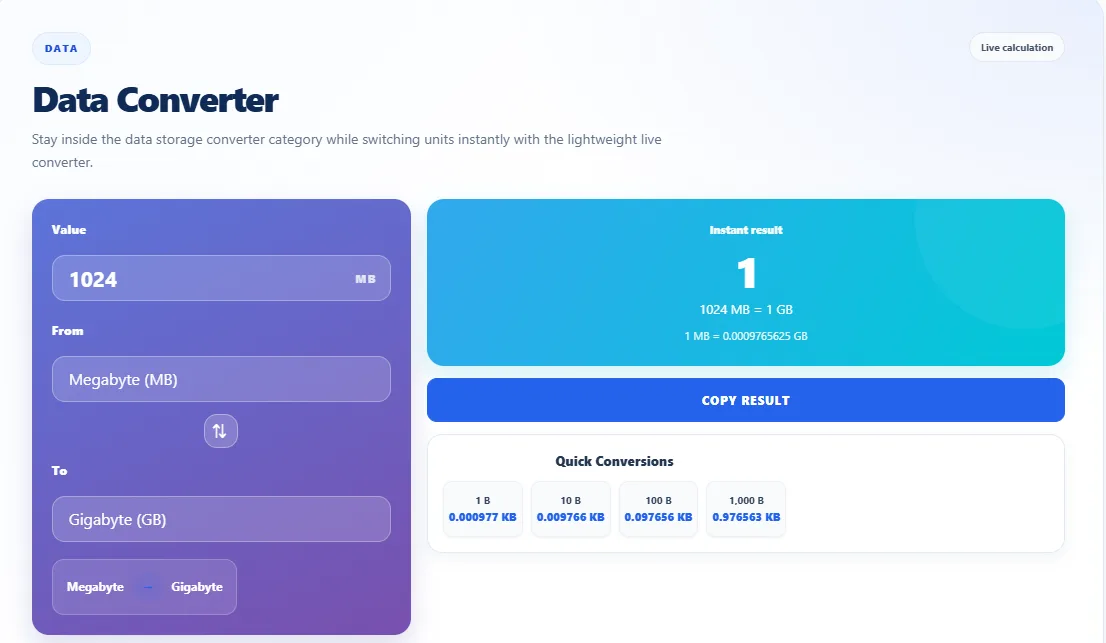
Use the Free UnitMorph MB to GB Converter
Manual calculations work well for small values. An online converter is more convenient when you need to convert different numbers.
The UnitMorph MB to GB Converter provides a simple way to calculate megabytes and gigabytes.
You can use it to:
- Convert MB values into GB.
- Check conversion results quickly.
- Avoid repeated manual calculations.
- Work with different file sizes.
- Access the tool on desktop and mobile devices.
Enter your value and check the result. Always refer to the conversion standard used by the tool when comparing decimal and binary measurements.
Frequently Asked Questions
1. How do I convert MB to GB?
Divide the number of megabytes by 1,000 to get gigabytes under the decimal system.
Formula: GB = MB ÷ 1,000.
For example, 3,000 MB equals 3 GB.
2. How many MB are in 1 GB?
One gigabyte equals 1,000 megabytes under the decimal system.
In binary measurements, one gibibyte equals 1,024 mebibytes.
3. Is 1,024 MB equal to 1 GB?
No. Under the decimal standard, 1,024 MB equals 1.024 GB. The binary equivalent is 1,024 MiB = 1 GiB.
4. How many GB is 8,192 MB?
Using the decimal formula, 8,192 MB equals 8.192 GB.
Using binary measurements, 8,192 MiB equals 8 GiB.
5. Why does my computer show less storage than advertised?
Storage manufacturers usually advertise capacity using decimal measurements. Some operating systems display capacity using binary calculations.
This difference can make the available storage appear smaller than the advertised capacity.
6. Is MB bigger than GB?
No. A gigabyte is larger than a megabyte.
Under the decimal system, 1 GB equals 1,000 MB.
7. Is the UnitMorph MB to GB Converter free?
Yes. UnitMorph offers a free online converter for calculating MB to GB values. You can access it from desktop and mobile devices.
Related UnitMorph Resources
You may also find these resources useful:
- MB to GB Converter – Convert different megabyte values into gigabytes.
- 8192 MB to GB – See a detailed example of a specific MB to GB conversion.
Conclusion
MB to GB conversion is simple once you understand the measurement system.
For decimal conversions, divide MB by 1,000. For binary conversions, divide MiB by 1,024 to get GiB.
Both systems are useful in computing. Knowing the difference helps you understand file sizes, storage capacity, and data usage.
For quick calculations, use the free UnitMorph MB to GB Converter.
Connect with UnitMorph
Find more conversion resources and follow UnitMorph through its official channels.
- GitHub: UnitMorph Open-Source Conversion Data
- Facebook: UnitMorph Official
- LinkedIn: UnitMorph Company Page
- X: @UnitMorph